Administrator
Manage the incident
See the incident controls your administrators use to review information and keep the operational record current.
Give your organisation the tools to review fire reports, keep members informed and coordinate incidents. Bring locations, updates and local water resources together, with access controlled by your administrators.
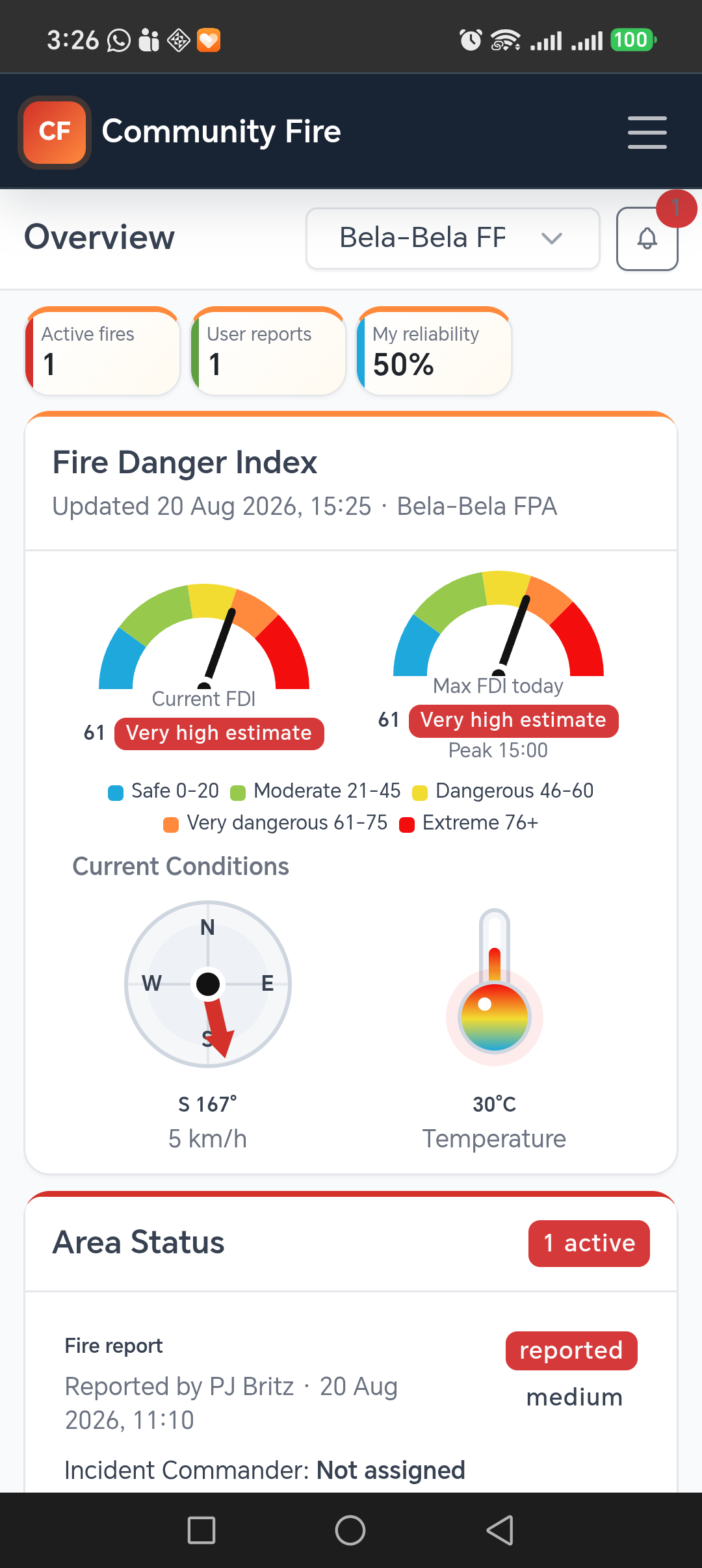
Relevant fire information can reach people on the device they already carry, whether they are working on a farm, travelling, or away from a command-centre screen.
Assistance has been requested for an active fire in your community. Tap to view the location and incident details.
The wording and recipients depend on the community's configured alert rules and the incident event.
Give your administrators a consistent way to review reports, share updates and maintain a record, while members contribute from their phones.
Members select a location, add observations and attach optional photos or video. FIRMS supplies separate satellite detections for admin review.
Review the evidence and location, then confirm, reject or mark the report as already reported.
Choose which supported events alert admins, boundary members, the reporter or the assigned commander.
Assign an Incident Commander, update status and share the incident location. Members can open navigation and nearby water points.
Record comments and status changes through to put out. Administrators retain the timestamped incident history.
Short visual walkthroughs show how a report reaches the map and how an administrator keeps the incident current.
See the incident controls your administrators use to review information and keep the operational record current.
See how a member supplies the location and observations your administrators need, using the Android app.
Recorded in Community Fire using demonstration data. Silent videos; use the playback controls to pause.
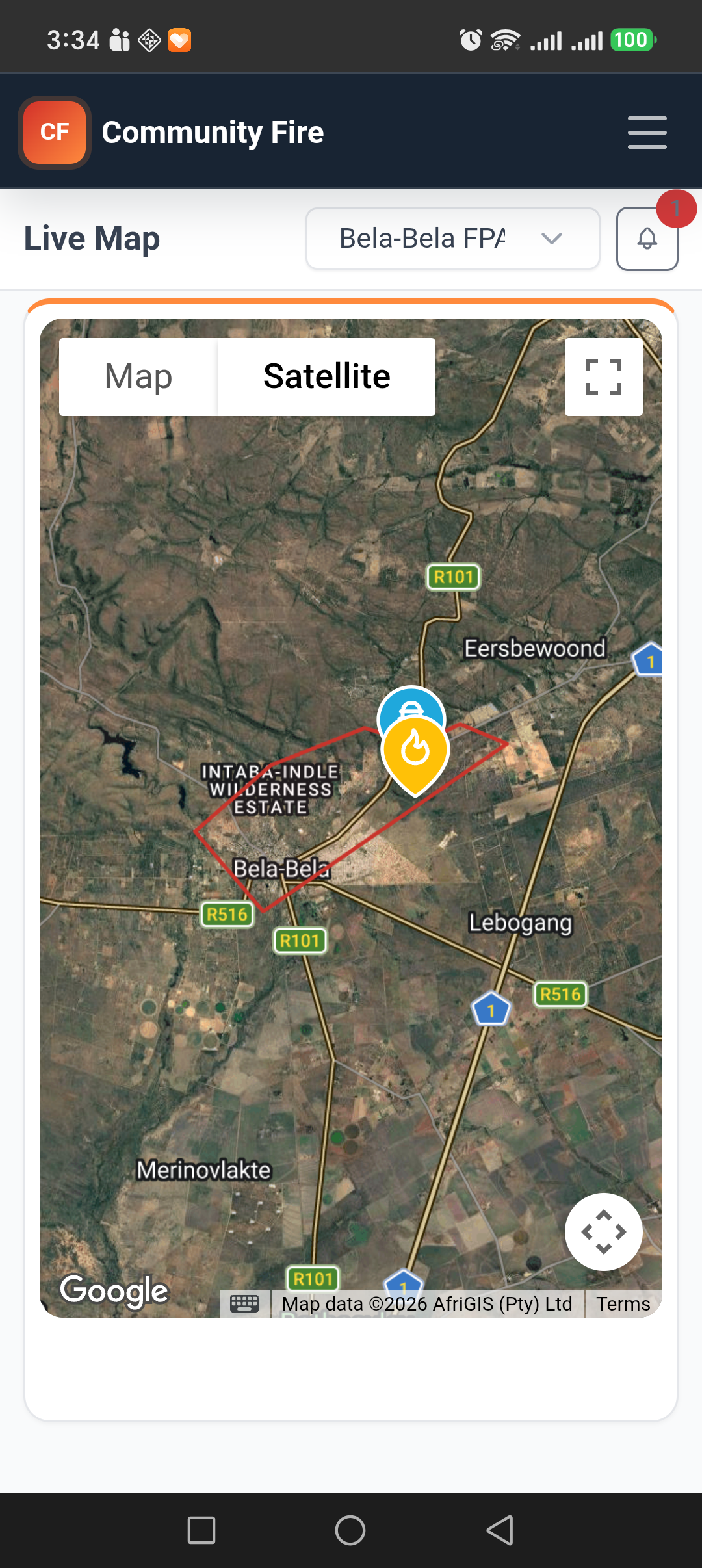
A community member can create a report from an accurate device location or choose the position directly on the map. The report goes into the correct boundary for administrator review.
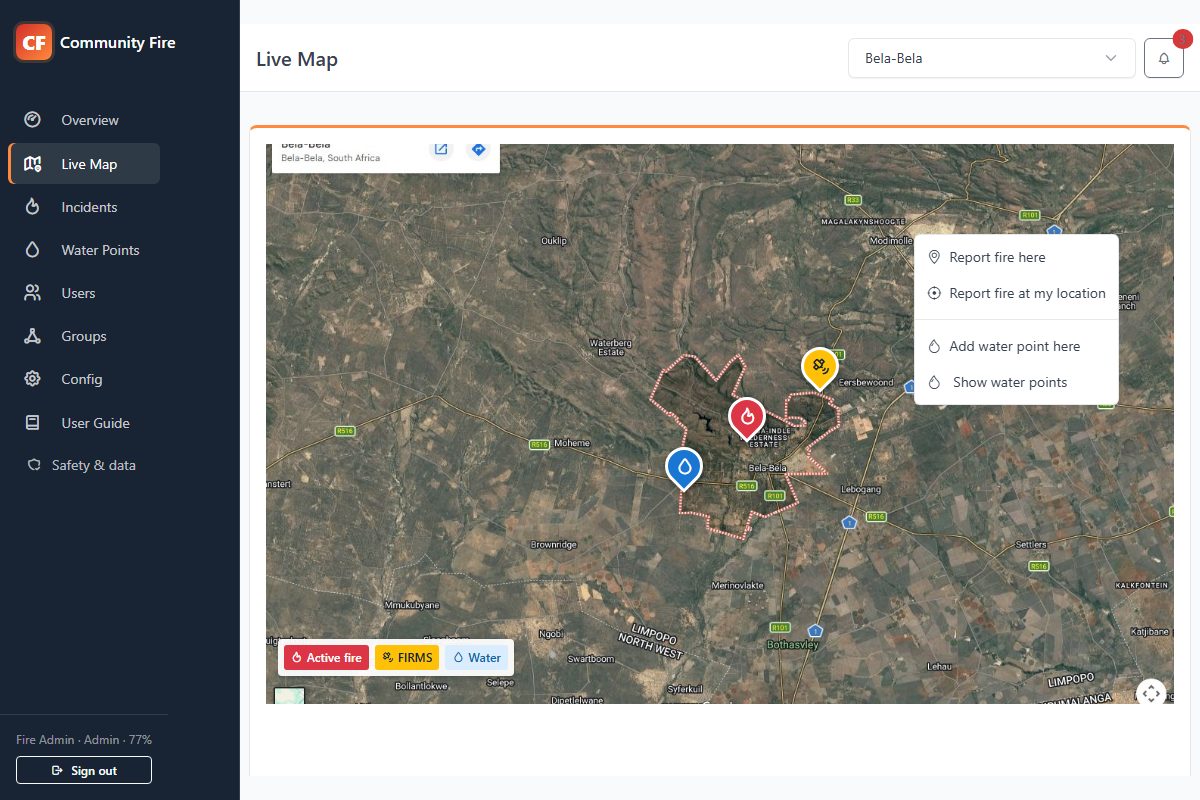
Every boundary group gets a focused map where local reports, satellite detections and response resources can be understood without mixing in irrelevant areas.
Mark observed spread locations and keep each one linked to its origin fire. Your administrators can coordinate individual fronts while retaining the wider incident record.
Add multiple spread pins from an active origin fire, then drag each pin to the observed location. Position changes save automatically.
Set its severity and status, assign an Incident Commander, add comments and review its history. Open the origin or a linked spread from the same incident record.
Configure a fire-spread-added alert for administrators, boundary members and the origin incident's commander. Members see active spreads only in areas they are authorised to access.
Spread pins record observations entered by administrators. They do not predict fire movement or establish a safe route. Device alerts depend on permissions and connectivity.
See spread tracking in a demo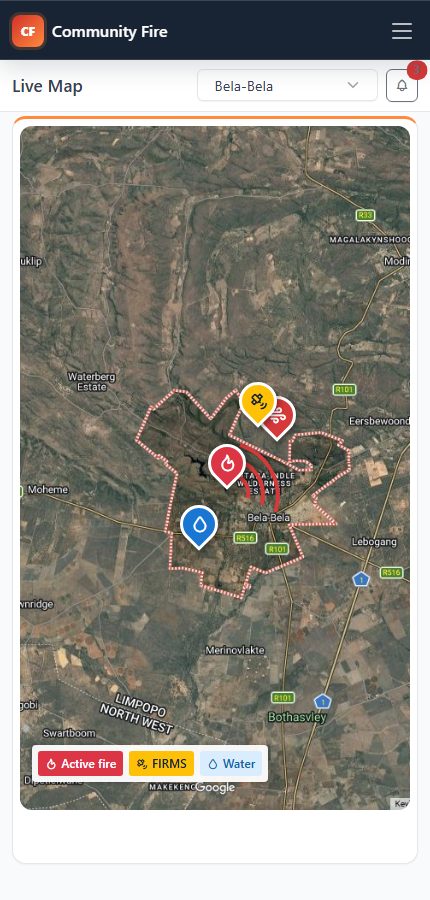
Observed spread in the administrator map workflow, using demonstration data.
Feature preview — testing in progress. Incident access gates are being evaluated before wider release. Ask to see the workflow in a guided demo.
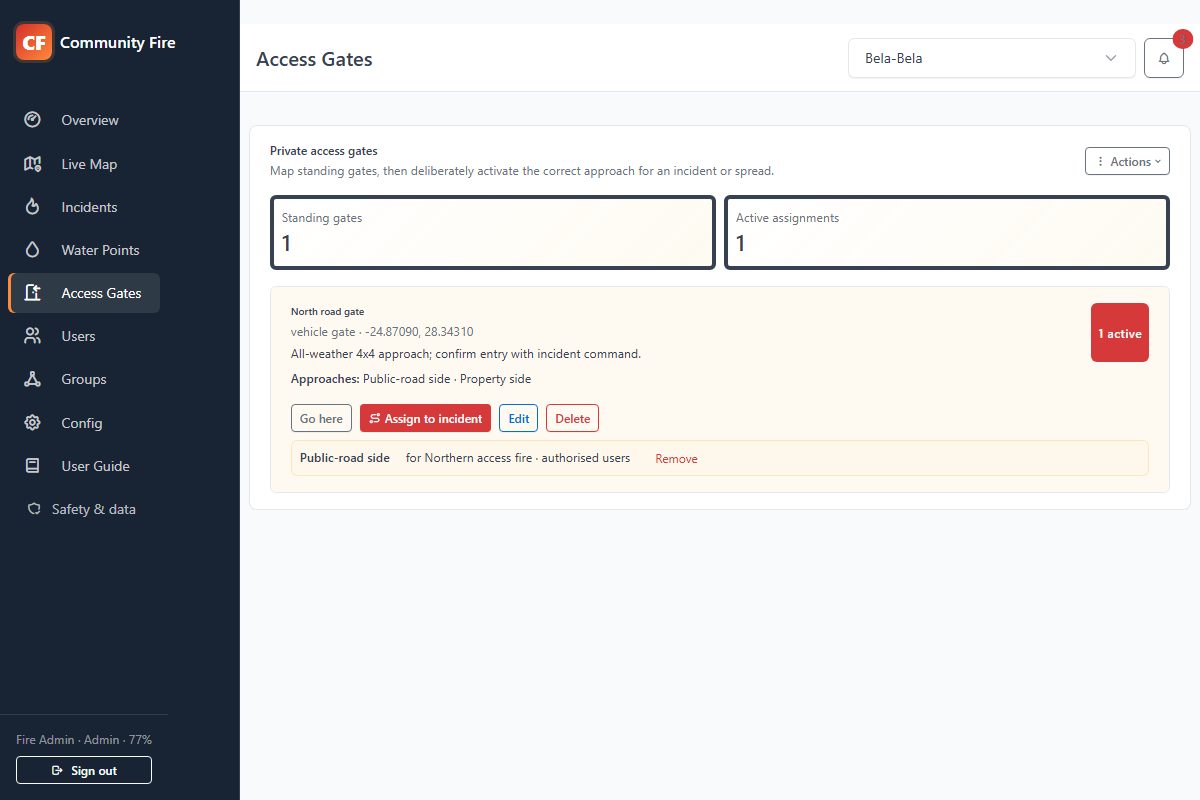
Administrators map private standing gates, define both sides of the fence, and activate the correct approach for a specific fire or spread when it is needed.
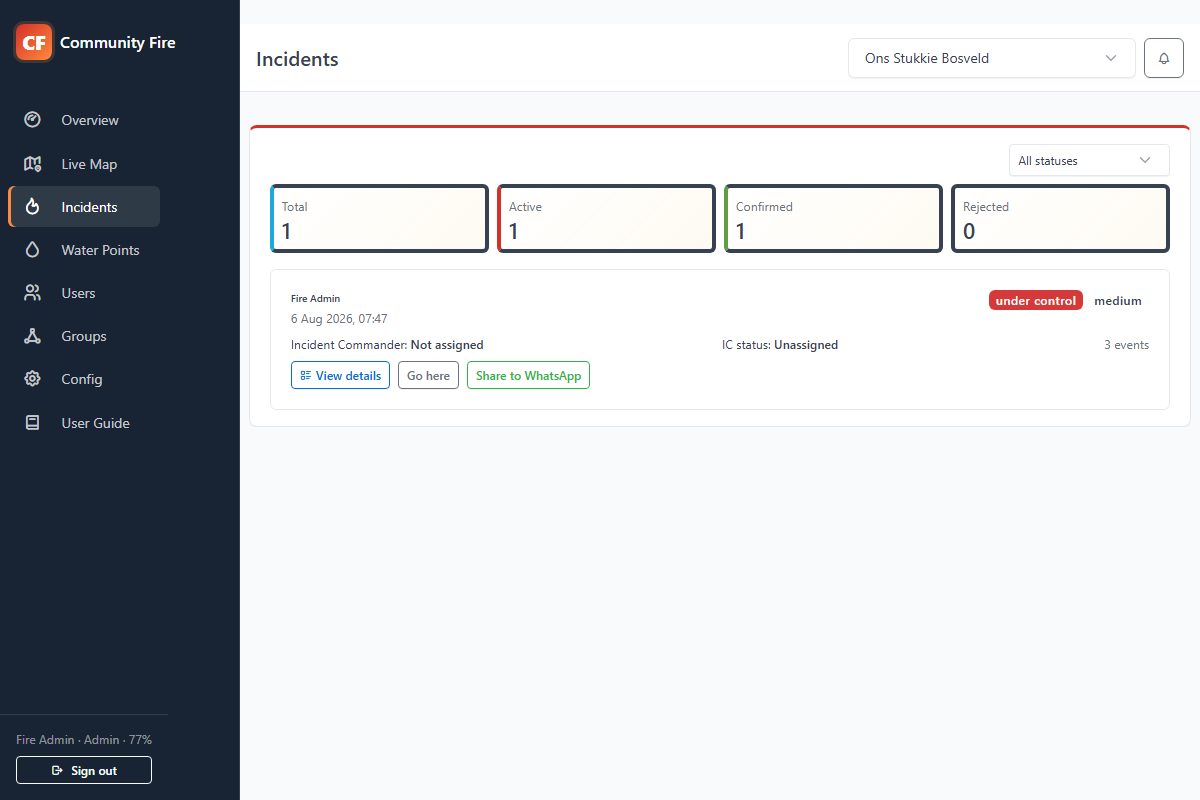
Reports remain easy to navigate while the complete event trail is available when administrators need the detail.
Build a shared, maintained directory of firefighting water sources and reveal them on the live map when an active fire is close enough to matter.
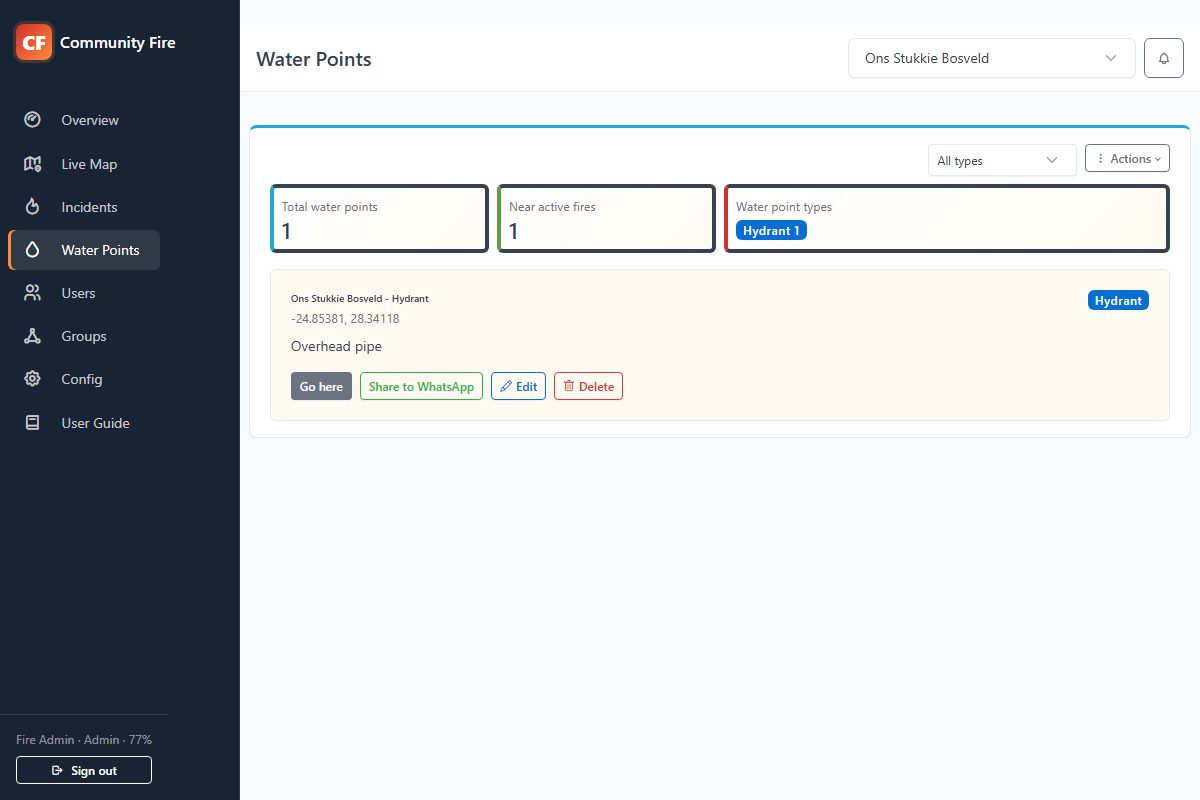
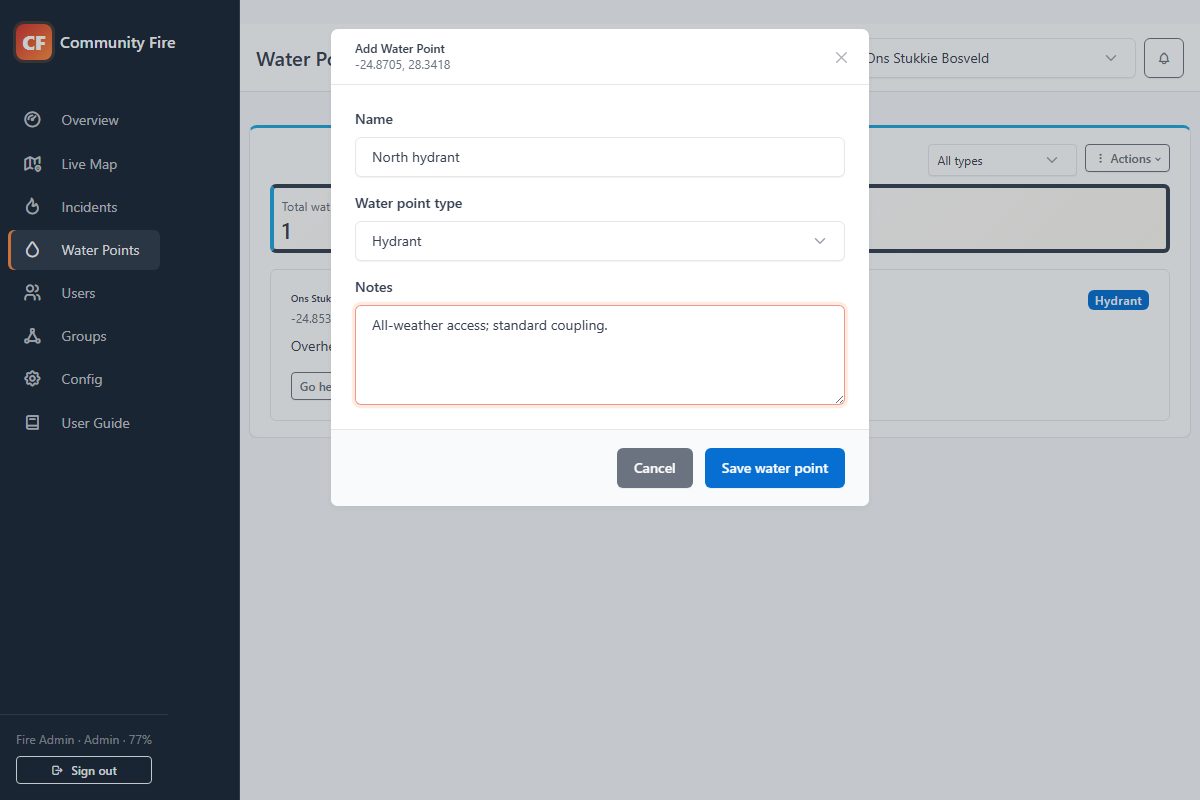
A user can add a water point at their current GPS location, while the map action allows a precise point to be selected elsewhere. Give it a useful name, choose its type and add the notes responders will need.
Choose a subscription for your organisation, then give members access to the areas they need. Administrators manage verification, incident updates and participation; members report observations and follow authorised active incidents.
A practical feature list for the people choosing and running the subscription. Packages set capacity; roles determine what each person can do.
| Capability | Your administrators | Your members |
|---|---|---|
| Fire reporting | Review location, severity, notes and consented evidence; correct an incident pin. | Report by GPS or map position and attach an optional photo or short video. |
| Report verification | Confirm, reject or mark duplicate reports before wider operational use. | Follow confirmed active incidents in authorised boundaries. |
| Incident coordination | Name incidents, change severity, assign an Incident Commander and update command status. | See the current incident information and assigned commander. |
| Fire spread tracking | Add and move linked spread pins; manage each spread’s severity, commander, status and history. Configure alerts when a spread is added. | View authorised active spreads and open their incident details from configured alerts. |
| Status and records | Set assistance required, under control or put out; add comments and review timestamped history. | Follow authorised active incident updates. Historical incident records remain admin-only. |
| Targeted alerts | Choose recipients and urgency for supported incident events. | Enable device notifications and open the associated incident when authorised. |
| Satellite detections | Review distinct NASA FIRMS hotspots and report relevant detections as local incidents. | Receive authorised incident information after review; raw FIRMS pins are admin-only. |
| Shared map and navigation | View boundary context and permitted incident locations; correct recorded positions. | Open active incident locations in navigation or share a location through WhatsApp. |
| Water points | Maintain the group directory, filter resource types and set the nearby-fire display radius. | Add and maintain own points; see permitted water points near active fires. |
| Weather and estimated FDI | Review current conditions, wind and local estimated fire-danger information. | View conditions for the selected authorised boundary. Estimates are advisory. |
| Boundaries and access | Draw operating areas, receive admin-only alerts for new joining requests, approve access and assign members to boundary groups. | Join using a community code and request access to additional areas. |
| User management | Manage roles, active accounts and Incident Commander eligibility. | Use the functions and boundaries assigned to the account. |
| Community notices | Publish, schedule, edit or disable notices for signed-in members. | Read community notices and pause or dismiss the rotating banner. |
| Community support | Set local support contacts and submit platform support requests. | Find the community support information and role-specific user guide. |
Device alerts depend on connectivity, notification permissions and operating-system controls. Android and iOS are in testing; ask about current device availability when booking your demo. Access gates are a preview and are not included as a released capability in this table.
Every package includes the complete operational app and unlimited end users. Launch-special pricing is available to new communities while Community Fire establishes its first customer group.
Packages change community capacity, not the core fire-response workflow.
The package controls capacity. The billing option controls when and how you pay.
Pay month to month while keeping the community active continuously.
Pay once for twelve months of continuous operation at the discounted annual price shown above.
Choose 3-8 consecutive active months, including a season that crosses into the next year.
A reviewed setup keeps boundaries, administrators and billing accurate from the beginning.
Tell us where your community operates, roughly how many people will participate, and which package fits.
We contact you to confirm administrators, boundaries, billing and the people responsible for first-line support.
Your community receives its own secure domain, community code and guided setup before end users join.
Clear answers about alerts, FIRMS, reporting and community access.
Request a guided demoSubmitting this form does not create a paid subscription. We will review the area and contact you to confirm the next steps.